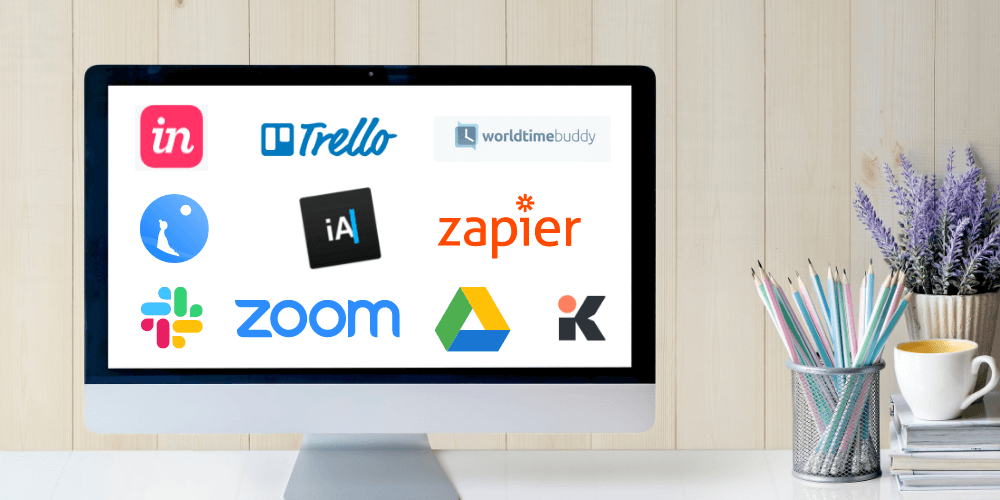
These top 10 remote apps will keep your team engaged and productive while working at home
The most pressing issue of work that the labor force is currently facing is the fact that the pandemic pulled us all back under our roofs and normalized remote working.
Questions regarding the impact of working outside the traditional office space are now more relevant than ever. How are employees and managers communicating? Will work-from-home slow down or boost their productivity? And what will happen if we lose our day-to-day social and physical interactions?
GET FREE QUOTE
Send us your requirements and we will get back shortly.
What is remote working?
Remote working is a work arrangement where employees are allowed to work outside their office environment. It goes against the usual work setting where employees work on site offices of their company.
Remote work emphasizes that tasks can be performed successfully regardless where it was executed. Employees can execute their projects wherever they are comfortable doing them.
This encourages trust and independence, giving people the freedom to organize their working routines so that their professional and personal lives can coexist.

Benefits of using remote team apps
Remote team apps are the secret to a successful remote work set up. You get to collaborate with your team while continuously excelling at work and seamlessly improving the quality of output you deliver.
Here are a few of the benefits of using remote team apps:
Proactive engagement
Communication and collaboration are the two biggest roadblocks when transitioning to a remote setting.
Since team members are working in different locations, they have the tendency to be unaware of the status of each of their tasks. Team leaders and managers cannot exactly monitor what is going on with their team members in real-time.
This is where remote team apps come in. These tools help teams easily send messages and update anyone, anytime.
Fewer distractions when working from home
It is undeniably challenging to overcome distractions while working remotely. It takes serious effort to focus and be free of interruptions.
When you work remotely, you control and design your own working environment. So you either build an environment that reduces unnecessary distractions for you, or you unconsciously create one that slows you down.
Remote team apps help you stay on track. They help monitor your work, screen time, breaks, and accomplished tasks.
Increased productivity and team collaboration
Managing productivity when you are working from home can be difficult. It’s so easy to slack at your desk when you are alone and no one is supervising you nor tapping your back. But then again, working remotely does not necessarily mean that you are on your own.
With remote apps, you can set your own schedule and control your work environment so you can optimize all alarms, reminders, and notifications for increased productivity.
They also allow you and your colleagues to collaborate on team projects. You can conduct virtual gatherings, team meetings, tea parties, or any virtual event to keep you engaged and connected.

Working tools to efficiently manage a remote team
Now that you know what remote work looks like, we have 10 remote team apps for you to check out:
Toggl is a simple solution to help you track how long or how fast you are taking to complete your projects each day. It has all the features you need to track time to improve productivity and get things done at the right time. Toggle is available as browser extensions and also as mobile apps on both android and iOS devices.
Every company should have a workflow automation software to help save time on repetitive tasks and switching between apps or pages. By connecting your favorite apps and moving between them automatically, Zapier helps you to achieve the level of flexibility and productivity that you need during remote work.
Daywise organizes and analyzes every app on your phone and categorizes them into ‘Instant’ and ‘Batched’. It gives you the idea of what to prioritize, what you are working on, and what tasks you have completed. The best part is, it can also schedule when you want to pause your notifications so it won’t interrupt you during your free time.
InVision promises you and your team the best interface for you to collaborate in real-time in an endless digital whiteboard. You will adore this app’s flawless little details that are presented beautifully. InVision can keep your remote team in sync on the projects that they’re working on throughout the design process.
Trello’s style, simplicity, and performance are something you shouldn’t miss. This tool will organize your projects into boards to let you know what things need to get done. It will let you see your photos, attachments, and other data needed for you and your team to collaborate. It shows you what’s being worked on by who and lets you make comments during the process.
Google Drive is most used and most effective when it comes to digital file management. Remote teams use Google Drive to assign tasks and work simultaneously while others can also check what’s being worked on. It’s like a centralized drop-off center of projects and files accessible to everyone.
Since team members are working in different locations, geographically distributed teams find it challenging to schedule meetings that work for everyone. Don’t fret because World Time Buddy will do the work for you. The free version of this app allows you to coordinate between 4 locations while its annual plan lets you coordinate with unlimited locations for $60 a year.
Slack is one of the most fun and collaborative communication tools used by a lot of teams. You can have one-on-one messaging or do it in groups or channels making it so easy for organizations to check up on each other during the day.
Zoom is the one of the most talked-about apps of remote working people ever since the COVI-19 pandemic started. Zoom offers extremely high video and sound quality that can be recorded and saved on your devices. This is very useful for teams, especially when holding video conferences, virtual office events, webinars, and many more.
GET FREE QUOTE
Send us your requirements and we will get back shortly.
This app might be one of the smartest software ever created. Since we are all using Skype, Zoom, and many video conferencing apps, a noise-canceling app like Krisp is very much a savior. It saves you from stressing out from eliminating background noise on both sides of the call so you can focus more and enjoy your important remote meetings.
As more and more organizations are transitioning to remote work because of the pandemic, more tools are definitely going to be introduced in the digital market. We’ll keep our eyes peeled for what’s coming next!